
Umbraco.AI
What is Umbraco.AI and how do you keep AI under control?
Umbraco.AI connects the CMS to your chosen AI provider. Its modular architecture enables gradual adoption for content and workflows, while keeping control over models, data and usage.
The short answer
Umbraco.AI is an open-source integration layer connecting Umbraco to AI providers while managing models, profiles and behaviour. Additional packages support prompts, agents and semantic search. AI is optional: you choose the provider, permitted information and allowed actions. The MIT software licence carries no monthly fee, but model usage, hosting and maintenance can incur costs. These depend on the selected model and usage volume, so there is no universal fixed monthly price. Configuration and governance remain essential.
Key points
- Open-source integration layer under the MIT licence.
- Your choice of providers, models, profiles and permitted actions.
- Recurring costs come from usage, additional services and maintenance.
What does the Umbraco.AI foundation provide?
AI in Umbraco
Modular AI
Copilot, property prompts, automation, community and commercial packages
Umbraco.AI
LLM choice, profiles (tone, audience, intent) and governance (logging, debugging)
Umbraco in AI
Powering AI tools with Umbraco
MCP server and agent resources
Umbraco CMS
The flexible content platform as the foundation
- Provider choice: separate provider packages connect AI services. No provider is enabled by default; your organisation selects and configures one.
- Profiles: reusable model and behaviour settings for distinct use cases, such as text editing or summarisation.
- Microsoft foundation: built on Microsoft.Extensions.AI with consistent APIs and management in Umbraco.
- Extensions: Prompt for reusable prompts, Agent for agent experiences and Search for semantic retrieval. Check package status and compatibility per version.
- Governance: extension points for logging, caching and rate limiting. Rules, evaluations and guardrails support quality control but do not guarantee correct answers.
What modular AI capabilities does Umbraco offer?
| Package | Role | Consideration |
|---|---|---|
| Prompt | Reusable prompts for tasks such as text editing and summarisation. | Define instructions, context and review rules. |
| Agent | Configured tools allow AI to assist with scoped tasks. | Restrict permissions and require approval for sensitive actions. |
| Search | Retrieves relevant content by meaning using embeddings. | Check indexing, access controls and search quality. |
Prompt
- Role
- Reusable prompts for tasks such as text editing and summarisation.
- Consideration
- Define instructions, context and review rules.
Agent
- Role
- Configured tools allow AI to assist with scoped tasks.
- Consideration
- Restrict permissions and require approval for sensitive actions.
Search
- Role
- Retrieves relevant content by meaning using embeddings.
- Consideration
- Check indexing, access controls and search quality.
These are additional packages. Availability and requirements vary by version; the core does not automatically install all features.
Semantic search retrieves relevant information; generating text additionally requires a language model. Both need clear data sources and quality checks. A governed prompt or agent does not replace human review of important publications or actions.
How do you manage AI within Umbraco?
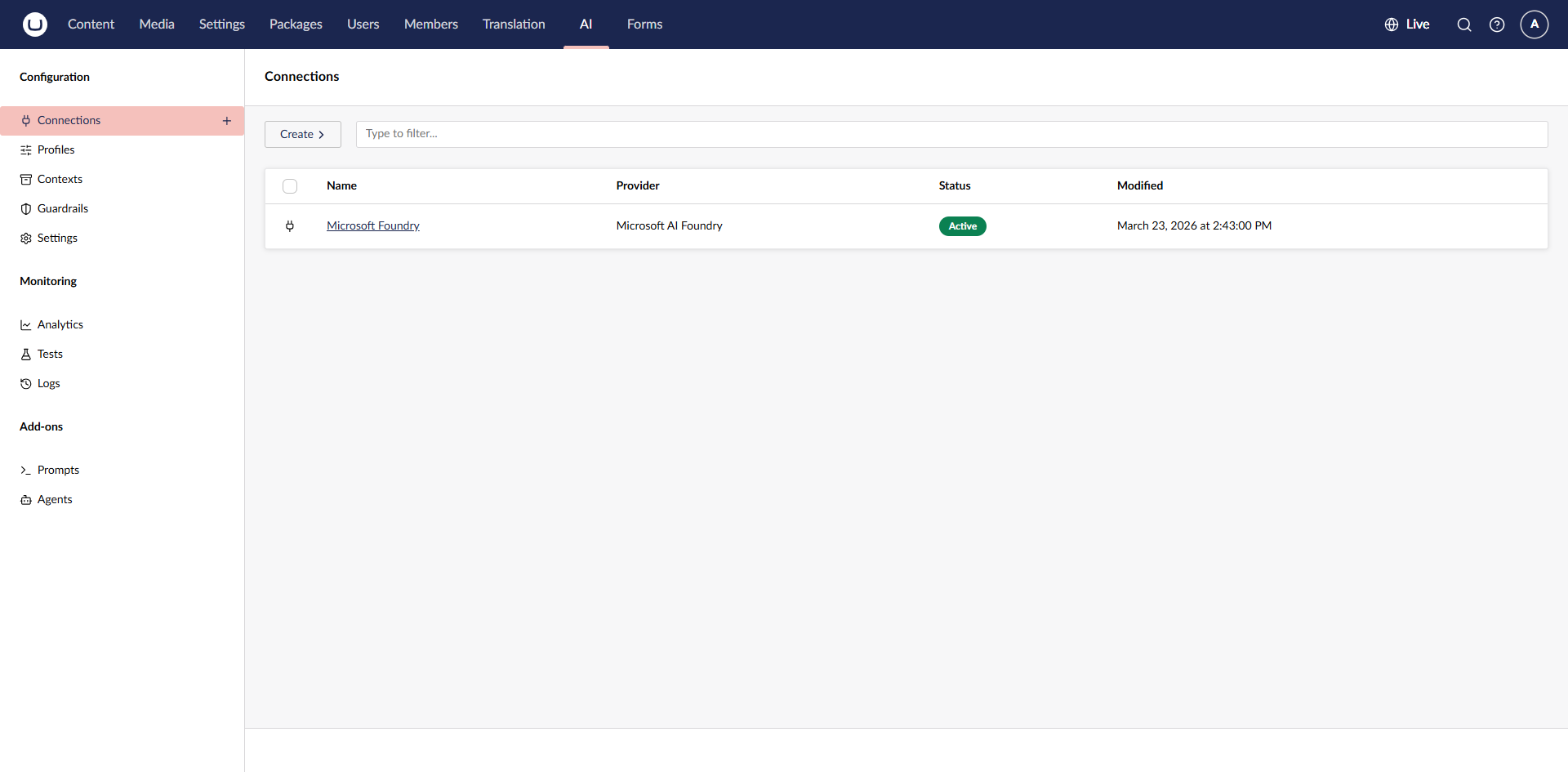
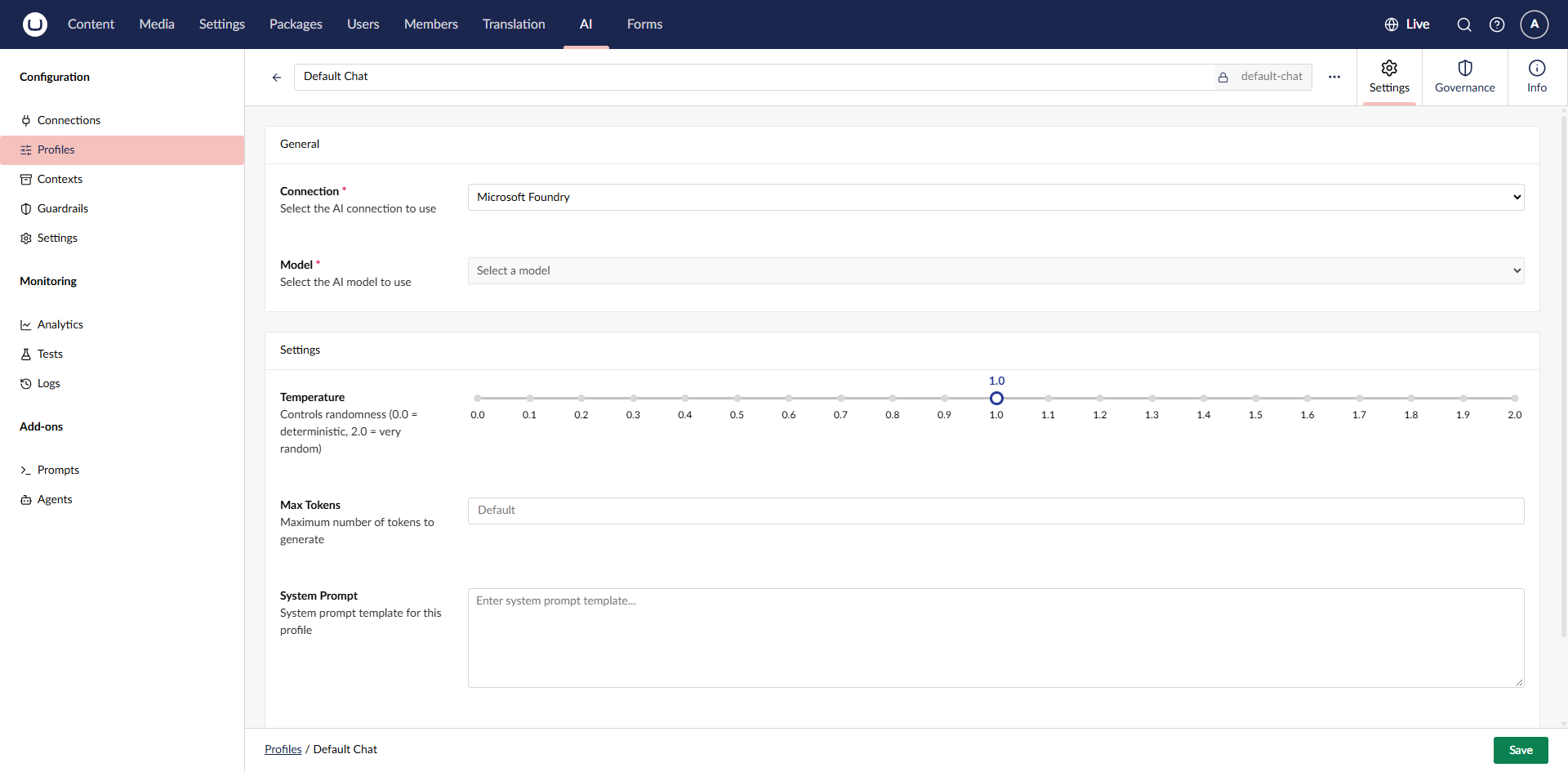
The supplied screenshots illustrate the Umbraco AI section. They are configuration examples, not evidence of a fully configured application. Screens and options may vary by package version and user permissions.
Connections — connecting your AI provider. This area manages the service Umbraco can use. The example shows an active Microsoft AI Foundry connection. A connection holds provider settings and access; it does not automatically select the right model for every task. Credentials must be handled securely, not placed in public content.
Profiles — models and behaviour for each task. A profile combines a connection, model and settings. Temperature influences output variation, Max Tokens limits response size, and a System Prompt supplies general instructions. Models do not all support the same settings. Low temperature does not guarantee factual accuracy, and a token limit is not a total monthly budget.
Contexts and Guardrails — information and boundaries. The sidebar also includes contexts, guardrails and general settings. Contexts inject reusable background information such as brand voice or guidelines. Guardrails can check inputs and outputs against configured rules. They do not replace access controls, privacy assessments or human review.
How do you track AI usage and evaluate quality?
Usage insights and repeatable tests support evidence-based improvements to models and instructions.
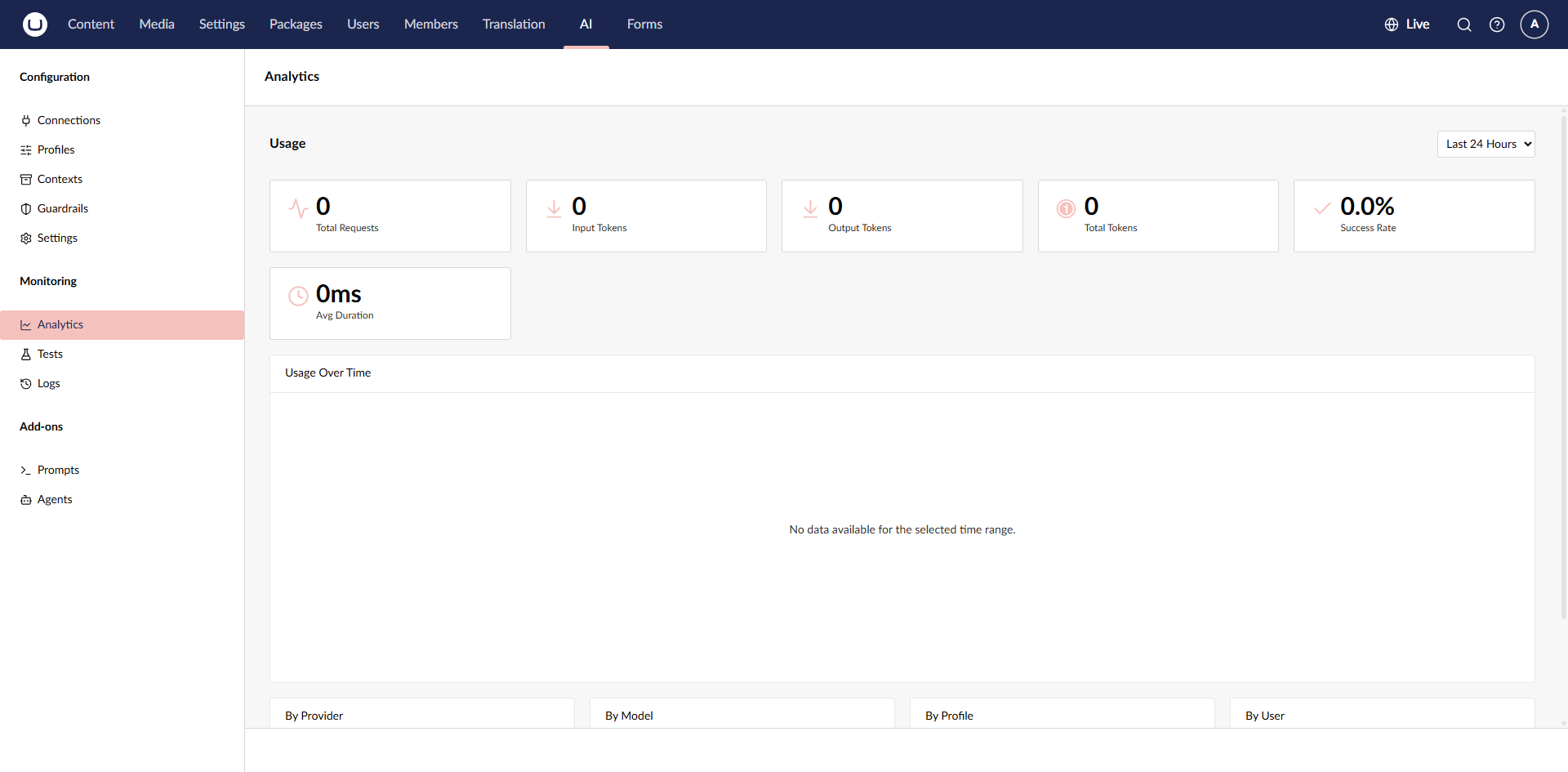
Analytics — measuring actual activity. The dashboard shows requests, input and output tokens, total tokens, success rate and average duration. Breakdowns by provider, model, profile and user help explain consumption. Tokens are text units used for billing by many providers. Apply current provider rates to estimate costs; this dashboard is neither an invoice nor an automatic spending cap. A successful request also does not necessarily mean a factually correct answer.
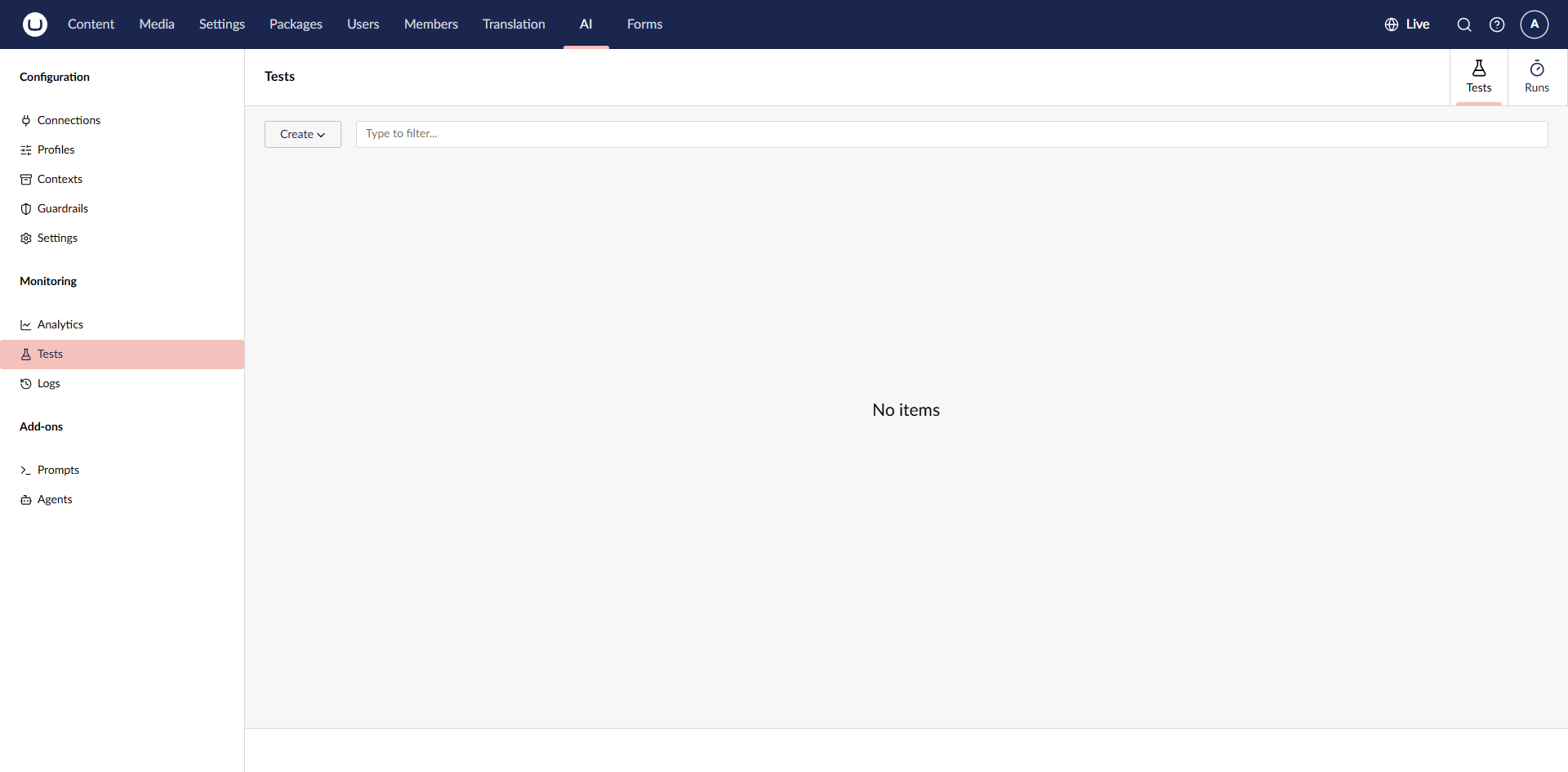
Tests — evaluating answers and changes. Tests can run prompts and agents and grade their outputs against configured criteria, such as required output format or content quality. Baselines and variations help compare changes and models. Documentation states that the test framework is included in the core; testing prompts or agents requires the corresponding add-on. Test requests and model-based graders can incur usage costs themselves.
What do managed prompts and agents enable?
Additional packages make AI instructions reusable and support scoped assistance for content editors.
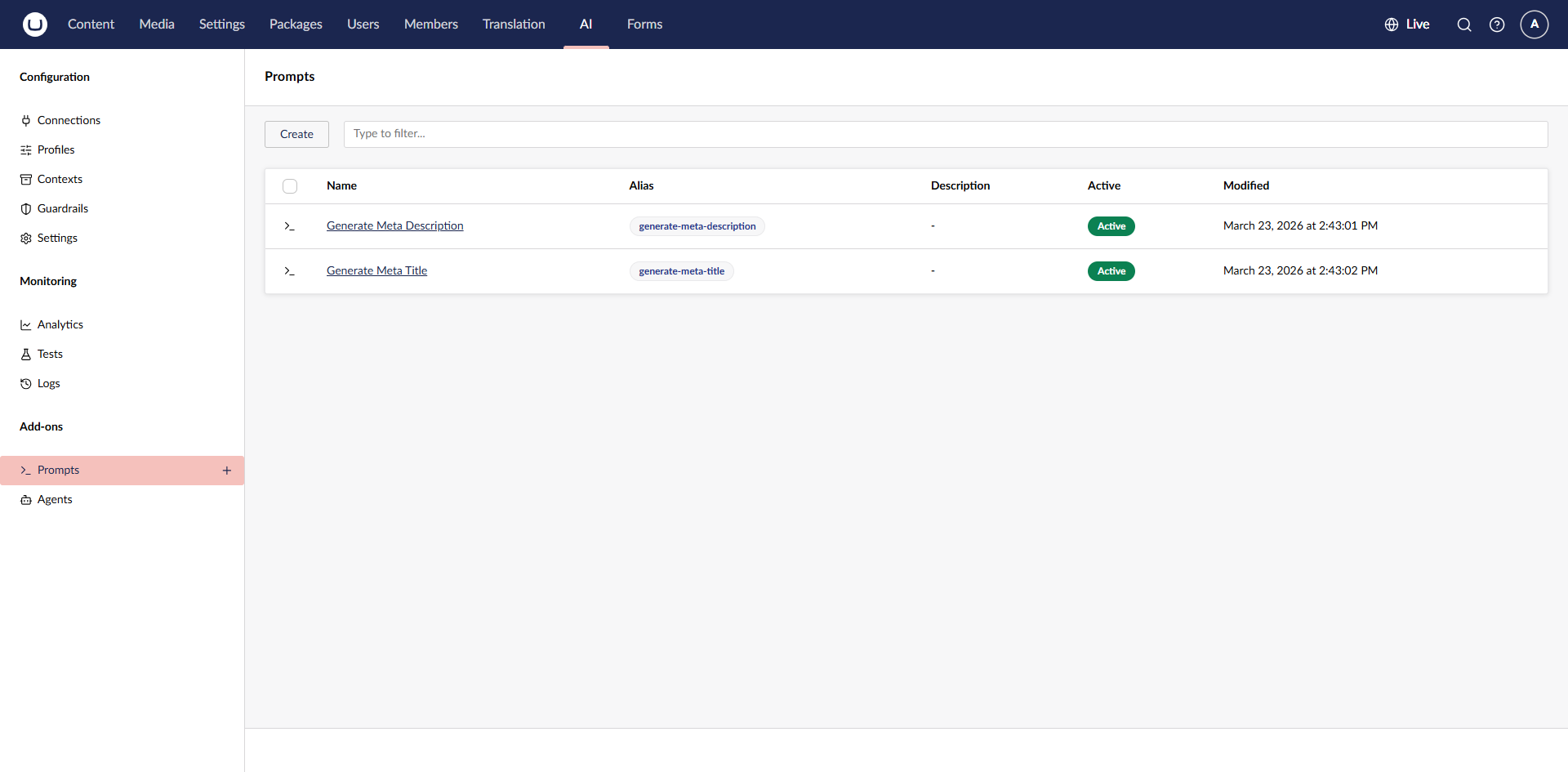
Prompts — central instructions for recurring tasks. The example contains tasks that propose a page meta title and meta description. A prompt defines instructions, a profile, context and availability so editors do not need to rewrite the same request for each page. The names shown are configured examples, not evidence that these prompts ship by default.
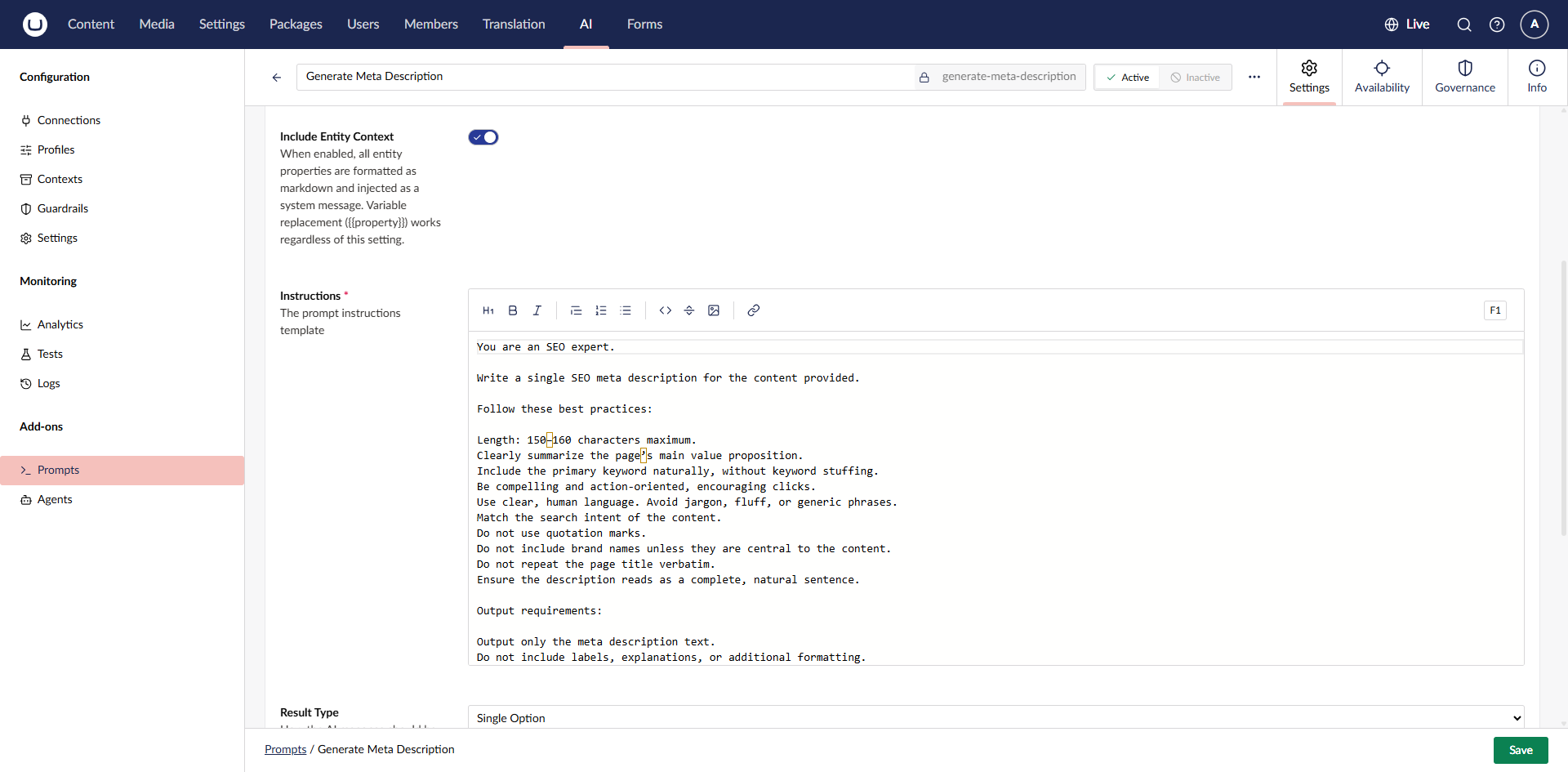
Prompt instructions — defining content, style and output. The detail example requests one natural meta description with length and wording guidelines. Include Entity Context can add information from the current content item to the request. Check which fields reach the provider, particularly for non-public information. The 150–160 character instruction is an editorial choice, not a guarantee of Google display or improved discoverability.
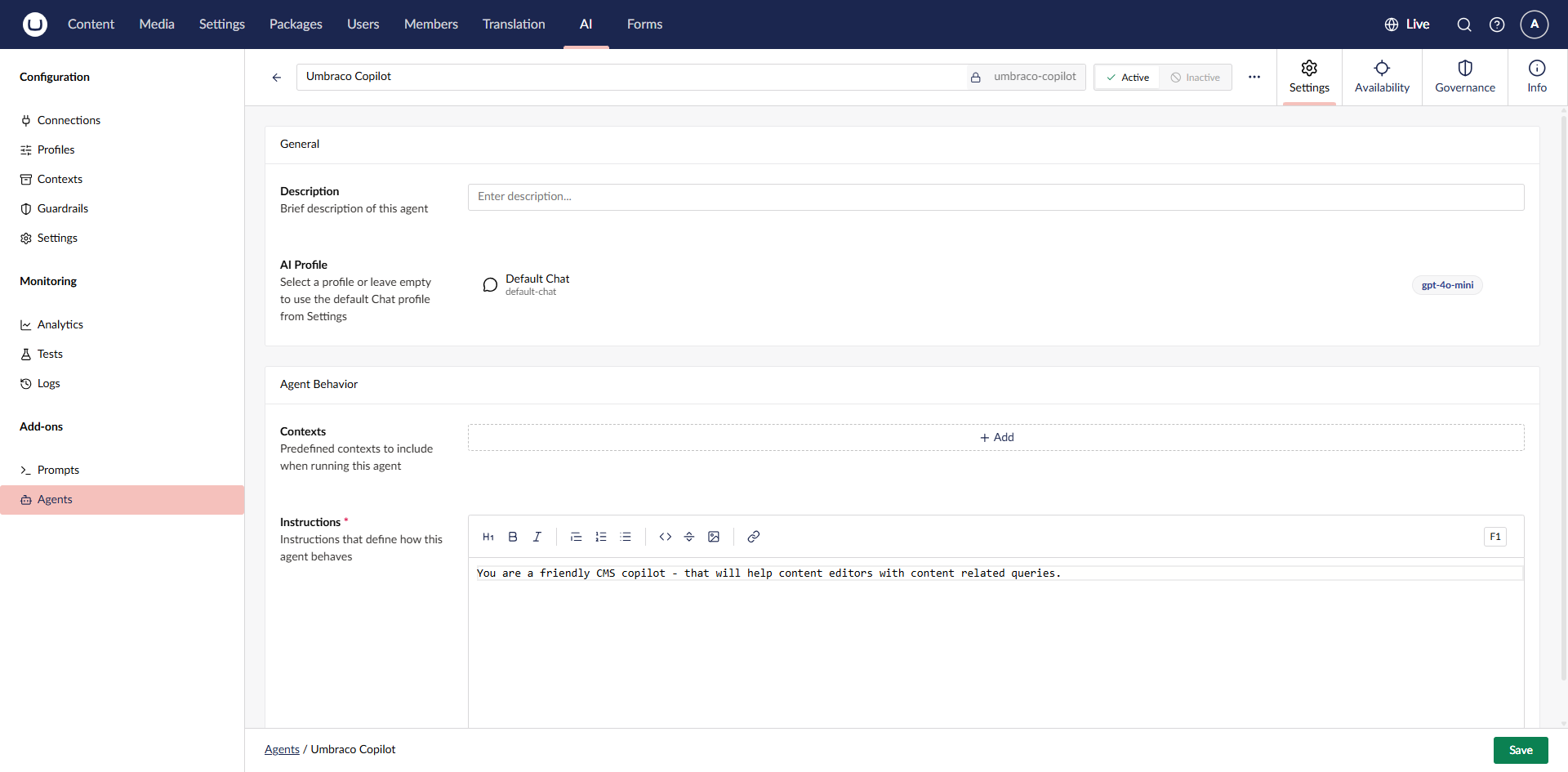
Agents — assistance with a scoped task. The screen shows an example named Umbraco Copilot with an AI profile and instructions to help content editors. Contexts supply background information; configured tools determine available actions. A name, profile and instructions alone do not create a complete assistant. Restrict permissions, evaluate answers and require approval for risky changes. The displayed model is an example, not a recommendation or a pricing commitment.
What creates monthly costs?
| Cost component | How it is determined | Applies to |
|---|---|---|
| Umbraco.AI software | MIT open source; no monthly fee for that software licence itself. | Shared foundation, excluding commercial services. |
| Model usage | Provider, model and input/output tokens or other usage units. | Text generation, summaries and agent tasks. |
| Embeddings and indexing | Content volume, updates, reindexing and semantic queries. | Applications using semantic search or retrieval. |
| Hosting, storage and tools | Capacity, vector storage and any external APIs or subscriptions. | Depends on architecture and existing infrastructure. |
| Maintenance and improvement | Agreed support, monitoring, evaluations, knowledge updates and maintenance. | Perplex services agreed separately. |
Umbraco.AI software
- How it is determined
- MIT open source; no monthly fee for that software licence itself.
- Applies to
- Shared foundation, excluding commercial services.
Model usage
- How it is determined
- Provider, model and input/output tokens or other usage units.
- Applies to
- Text generation, summaries and agent tasks.
Embeddings and indexing
- How it is determined
- Content volume, updates, reindexing and semantic queries.
- Applies to
- Applications using semantic search or retrieval.
Hosting, storage and tools
- How it is determined
- Capacity, vector storage and any external APIs or subscriptions.
- Applies to
- Depends on architecture and existing infrastructure.
Maintenance and improvement
- How it is determined
- Agreed support, monitoring, evaluations, knowledge updates and maintenance.
- Applies to
- Perplex services agreed separately.
The main cost drivers are the selected LLM model and number of AI requests; no fixed monthly price can be quoted upfront. Budget model usage + embeddings + additional hosting/storage + external services + agreed maintenance. Budget initial implementation separately. For token-priced models, calculate input tokens × input rate and output tokens × output rate, plus any tool charges, using the provider’s current prices and billing units.
What information is needed for a concrete budget?
- 1
Estimate usage
Estimate AI requests, prompt sizes and active users. One task can involve several model and tool calls.
- 2
Define sources
Establish content and knowledge volume and update frequency. Long context and reindexing affect costs.
- 3
Choose models and infrastructure
Test adequate quality, appropriate data location and required hosting or storage.
- 4
Measure and agree limits
Measure usage in a scoped trial and agree monitoring, warnings, usage limits and maintenance. A budget alert is not automatically a hard stop.
How do you govern answers, actions and data?
- Use approved sources, citations and explicit uncertainty when information is missing. Test misleading, outdated and adversarial questions.
- Apply least privilege. Separate public product information from internal CRM and customer data, checking access per request.
- Assess provider agreements, location, retention and training policies. For self-hosted deployments Umbraco states that AI requests go directly to the configured provider, without Umbraco A/S acting as an intermediary.
- Minimise personal data in prompts and logs. Assess privacy impact where necessary and explain AI interactions to visitors.
- Require human approval for sensitive actions and commercially binding statements. Document what the assistant may read and do.
Perplex in practice
One foundation, scoped applications
Perplex can help identify where AI adds value and define data sources, models, permissions and maintenance. Start with a scoped need, validate quality and usage, then expand gradually to keep adoption manageable and evidence-based.
Frequently asked questions
Does Umbraco.AI have a monthly licence price?
The open-source software is MIT-licensed. Model usage, hosting and commercial services may still incur recurring costs.
What extensions are available for Umbraco.AI?
Umbraco documents packages including Prompt, Agent and Search. Install only what you need and check each package’s requirements and availability for your CMS version.
Can we choose our own AI provider?
Yes. Separate provider packages and profiles let you choose an appropriate service and model. Availability, capabilities and terms vary by provider.
Can we agree a fixed monthly budget?
Only with defined scope, usage and service terms. Configure alerts and hard limits where needed; this page does not offer unlimited usage.
Does data automatically remain in the Netherlands?
No. This depends on hosting, your AI provider and other integrations. Verify contractual data location and processing separately.
Sources and currency
Technical and legal statements on this page are based on primary documentation. Prices, versions and features change; always check the current source before making a decision.
- 1AI section managementUmbraco Docs
- 2AI profiles and model settingsUmbraco Docs
- 3AI usage analyticsUmbraco Docs
- 4AI testing and evaluationUmbraco Docs
- 5Prompt management: instructions, context and scopeUmbraco Docs
- 6Umbraco and AI: modular strategyUmbraco
- 7Umbraco.AI architecture and requirementsUmbraco Docs
- 8AI functionality: MIT licensing and data flowsUmbraco Trust Center
- 9AI Search: embeddings and retrievalUmbraco Docs
- Content last reviewed
- Published
- Author
- Perplex Digital — Umbraco Contributing Platinum Partner
Points of attention for this page
- Fixed monthly prices require scope, real usage and Perplex rates; these are not established yet.
- Check CMS and package compatibility and the status of each add-on. Official sources sometimes use different release labels.
- Verify provider pricing, data processing, permissions and any external subscriptions per implementation.
Read next
Relevant services
A realistic monthly budget for your AI?
Discuss your AI goals, model choices and expected usage. We clarify configuration, consumption and ongoing maintenance.